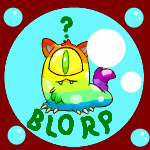
December 29, 2025Dec 29 I was just feeding my pets from my stockpiles of jelly, and now look at my Kacheek! Unfortunately, she was sponge colored before this so it's not an easy fix. She's been sponge since a charity corner perk, from a looooong time ago so I'm very irritated. Going to have to wait for my Premium species change to be available again. That's not for 150 days. JellyNeo says that the Half Eaten Glowing Jelly has a small chance of doing this. I knew about that small chance, but I've used so many over the years and nothing ever happened. Never assume. The full Glowing Jelly item doesn't have that warning, but I'm never again using either. I missed the notification while doing my feeding. Only noticed it after they were all fed.
December 30, 2025Dec 30 Thanks for the heads up... I didn't even realize that was an actual possibility. yikes. I would actually cry if my robot pet was turned. My deepest condolences
December 30, 2025Dec 30 i spent forever feeding those to my pets and they never changed, it was my obsession for a while but i gave up. If i was you i'd be so excited!
December 30, 2025Dec 30 wow i've never ever seen that actually happen perhaps if you write to TnT they'll change your pet back
December 30, 2025Dec 30 dang i tried it with my skeith for sooooo long and it never happened, i thought the effect was inactive. sorry about the sponge, that sucks! but it's cool to know it still works
January 1Jan 1 I've never heard of it being temporary. I really think you'll have to change it back yourself. It seems like there is a 1 in 5000 chance this happens. Can't hurt to ask TNT to change it back but since it's not from a RE but from something you did yourself (feeding the jelly), it's possible they'll say tough luck.
January 1Jan 1 had that happen to me about 3 years ago and after 3 days the pet changed back to her original color.
January 2Jan 2 Then let's hope so for Sciurus carolinensis! So far her pet is still glowing and hasn't turned back to sponge.
January 2Jan 2 Author Thank you for the good wishes. She is still glowing. Waiting for the premium species change is probably still my best bet. 146 days from now is May 28th. I can wait.
Join the conversation
You can post now and register later. If you have an account, sign in now to post with your account.