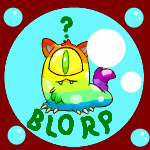
January 5, 20206 yr I've been saving up for a meowclops for over a month. I wanted to keep the petpet as well as get the avatar, so the ALP wasn't an option. Yesterday, I spotted one while browsing the auctions that was just a tiny bit more than I had. Thankfully it was still available once I sold a nerkmid and played a bit of Ghoul Catchers. I was so excited that i was refreshing the auction page over and over, but finally it was in my inventory. I attached it for the avatar, then immediately unattached it and went to the cooking pot because at some point I had decided that what I really wanted was a slorgclops. Eventually it will be painted rainbow, but it will be a few weeks before I can afford to do that. Everyone, meet Mayhem_5_5_5's new squishy one-eyed friend. Name changes may occur.!
January 5, 20206 yr Looks great and must have felt even better finally getting one. What's your next goal?
January 6, 20206 yr Congrats , Slorgclops look awesome ! I can't even start to consider expensive petpets
January 6, 20206 yr What fun! Congratulations. I love how thrilled your Kacheek looks about their new pet!
January 8, 20206 yr Author On 1/5/2020 at 4:46 PM, hrtbrk said: Looks great and must have felt even better finally getting one. What's your next goal? Getting some sleep so I have the energy to reply on time! Joking aside, after I've gotten the paint brush to make it rainbow I'll go back to what's on my gallery wishlist. Got some pretty expensive foods that I paused saving for in order to complete this goal. None as expensive as the meowclops though.
Join the conversation
You can post now and register later. If you have an account, sign in now to post with your account.