
granny63020
Super Members
-
Joined
-
Last visited
Everything posted by granny63020
-
8. 9.


-
4. 5. 6. 7. For your efforts, Legretta_Abyss's defence has increased!


 I just went to check it out and try your method but when I got the screen for NeoPass this time there was an X so I could close the page! So, I closed it. LOL I don't want to join and I hope I am not forced to do so. I refreshed the page and the NeoPass did not come up again. Since I haven't tried to go to another page yet I may have to do the same thing. Why are they forcing this down our throats?I am trying to access TDN to do my dailies and this NeoPass ad keeps popping up. I can't figure out how to get rid of it. I do not want to join NeoPass. Can someone tell me how to get this off my screen so I can proceed with my dailies? Please and thank you!8. 9. 10. 11.


 4. 5. 6.


 Sakhmet Solitaire
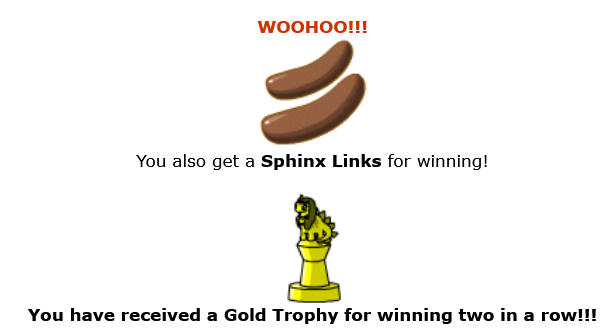 2. For your efforts, Legretta_Abyss's defence has increased!
 Sakhmet Solitaire
 16. 17.

 12. 13. 14. 15.


 9. 10. 11.


 4. 5. 6. 7.


 1. 2. 3. For your efforts, Legretta_Abyss's defence, strength, and health have increased!


 14.


Account
Navigation
Search
Configure browser push notifications
Chrome (Android)
- Tap the lock icon next to the address bar.
- Tap Permissions → Notifications.
- Adjust your preference.
Chrome (Desktop)
- Click the padlock icon in the address bar.
- Select Site settings.
- Find Notifications and adjust your preference.
Safari (iOS 16.4+)
- Ensure the site is installed via Add to Home Screen.
- Open Settings App → Notifications.
- Find your app name and adjust your preference.
Safari (macOS)
- Go to Safari → Preferences.
- Click the Websites tab.
- Select Notifications in the sidebar.
- Find this website and adjust your preference.
Edge (Android)
- Tap the lock icon next to the address bar.
- Tap Permissions.
- Find Notifications and adjust your preference.
Edge (Desktop)
- Click the padlock icon in the address bar.
- Click Permissions for this site.
- Find Notifications and adjust your preference.
Firefox (Android)
- Go to Settings → Site permissions.
- Tap Notifications.
- Find this site in the list and adjust your preference.
Firefox (Desktop)
- Open Firefox Settings.
- Search for Notifications.
- Find this site in the list and adjust your preference.