Skip to content
View in the app

A better way to browse. Learn more.

The Daily Neopets Forums

A full-screen app on your home screen with push notifications, badges and more.

To install this app on iOS and iPadOS
  1. Tap the Share icon in Safari
  2. Scroll the menu and tap Add to Home Screen.
  3. Tap Add in the top-right corner.
To install this app on Android
  1. Tap the 3-dot menu (⋮) in the top-right corner of the browser.
  2. Tap Add to Home screen or Install app.
  3. Confirm by tapping Install.

Kaana

Super Members
  • Joined

  • Last visited

About Me

So hi there. I'm Kaana, or Katie-Ann, whichever you prefer.


I'm a Christian, a Homestuck, a Pegasister, a Sonic fangirl and a Neopian.


If you want to chat about anything, feel free! I'm all ears, and love actually talking to people. Just as a thing that's a thing, I won't usually randomly start talking to people, cause I feel rude. Just for social talking, I wait for others to come to me. Wouldn't want to bother youse. Shout out to Sweetdang, who has agreed to look after my baby, Liliana. I know Liliana got passed around a lot when I first left, so I'm happy to know that she's in a good home. I could never repay Sweetdang :3
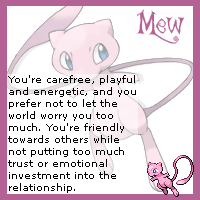
 

mew.gif

Everyone else was doing it.^^^


Interesting to see how much I'd changed since last year.

Account

Navigation

Search

Search

Configure browser push notifications

Chrome (Android)
  1. Tap the lock icon next to the address bar.
  2. Tap Permissions → Notifications.
  3. Adjust your preference.
Chrome (Desktop)
  1. Click the padlock icon in the address bar.
  2. Select Site settings.
  3. Find Notifications and adjust your preference.