Skip to content
View in the app

A better way to browse. Learn more.

The Daily Neopets Forums

A full-screen app on your home screen with push notifications, badges and more.

To install this app on iOS and iPadOS
  1. Tap the Share icon in Safari
  2. Scroll the menu and tap Add to Home Screen.
  3. Tap Add in the top-right corner.
To install this app on Android
  1. Tap the 3-dot menu (⋮) in the top-right corner of the browser.
  2. Tap Add to Home screen or Install app.
  3. Confirm by tapping Install.

Captain Awesome Pants

Fantastic Members
  • Joined

  • Last visited

About Me

I'M BAAAAAAAAAAAAAACK C:<


Hay thar TDN

 

InsanityCrewBadge.gif


billbuttons.gif


My name is Laura. I've been know as Mia in the past, too. I'm in charge of the Funhouse in Insanity Land, where TDN is located. :D The HOP resides there.


My danish army is allies with Morgan and her cheese, so don't cross us. Oranges are banned, and our sworn enemy.


Um, I'm every type of insane, and have more problems than strings on my guitar, fingers on my hand, staples in my stapler, etc.


Yeah, I've got nothing else to add...


I have great friends. :D CLICKIT CLICKIT CLICKIT vvvv
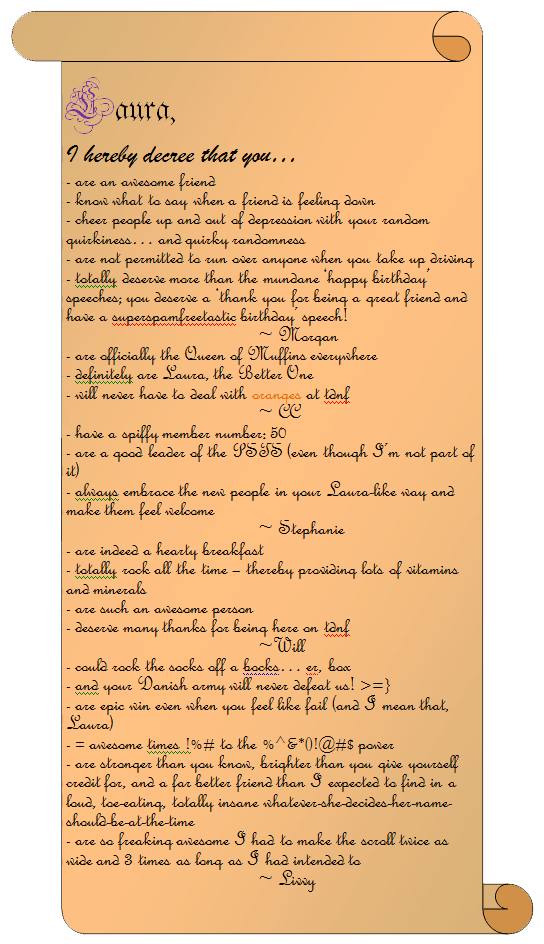
 

Laura_Scroll_Front2.gif


Account

Navigation

Search

Search

Configure browser push notifications

Chrome (Android)
  1. Tap the lock icon next to the address bar.
  2. Tap Permissions → Notifications.
  3. Adjust your preference.
Chrome (Desktop)
  1. Click the padlock icon in the address bar.
  2. Select Site settings.
  3. Find Notifications and adjust your preference.