Skip to content
View in the app

A better way to browse. Learn more.

The Daily Neopets Forums

A full-screen app on your home screen with push notifications, badges and more.

To install this app on iOS and iPadOS
  1. Tap the Share icon in Safari
  2. Scroll the menu and tap Add to Home Screen.
  3. Tap Add in the top-right corner.
To install this app on Android
  1. Tap the 3-dot menu (⋮) in the top-right corner of the browser.
  2. Tap Add to Home screen or Install app.
  3. Confirm by tapping Install.

Pikachuu

Members
  • Joined

  • Last visited

About Me

35n4gsh.jpg2zg99y0.jpg

(dats me and my dog being hipster, ok)

Hello! :D I'm Kayla. I joined on TDN because I love Neopets and I love making friends and what not. c:

If you're on Tumblr and on the 'Neotag', you may know me as "Neopetsfanatic"!

Uhm, I'm horrible at making "about me" things so, I'll just roll away about now.

People call me the mother of all Kacheeks.


(this is my first year and I kind of just picked a team, i'm rooting for KI.)

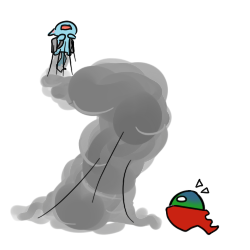
Kayla the Kacheek wanted to fly with SUAP so she tried using a jet pack.
tumblr_m26pb4OHUF1r8dzk6.png

Account

Navigation

Search

Search

Configure browser push notifications

Chrome (Android)
  1. Tap the lock icon next to the address bar.
  2. Tap Permissions → Notifications.
  3. Adjust your preference.
Chrome (Desktop)
  1. Click the padlock icon in the address bar.
  2. Select Site settings.
  3. Find Notifications and adjust your preference.